 Quantvex
Live tracking and drift alerts
Sentinel compares each live strategy with the range its testing predicted and tells you when one wanders outside it. Pause, resume or close from one screen.
Astra · Windows 64-bit · MT4 and MT5
Set the market, the rules and the risk. Astra writes the strategies, tests them on price they never trained on, grades every survivor and sends the one you choose to MetaTrader.
Free, today
The free plan includes one live deploy to MT5, for one strategy. No card needed.
Instrument
Timeframe
Test windows · XAUUSD H1
| A | Quiet Heron-12 | PF 1.36 |
| A- | Amber Kestrel-3 | PF 1.31 |
| B+ | Calm Ibis-15 | PF 1.27 |
| B | Lunar Wren-8 | PF 1.22 |
| C | Bold Tern-17 | PF 1.08 |
Watch
Install Astra, run a search and put one strategy on an MT5 chart, all on the free plan.
Validation report
Every strategy Astra generates is scored, then re-run on a holdout period it was never optimised on. Here's how each tier fared.
Sample figures for layout only. Replace with your own validation results before publishing.
S-tier is the top 1% of scores: 1,912 of 186,400 strategies tested.
After you deploy
Sentinel compares each live strategy with the range its testing predicted and tells you when one wanders outside it. Pause, resume or close from one screen.
Pick a strategy that's slipping and Astra retests your saved backups on recent price. If none of them hold up, nothing is swapped.
When a live strategy stops behaving like its test, Ultimate can put a tested backup in its place. It acts on results, not on a schedule.
Get alerts and ask about your strategies from your phone. Answers come from your own computer, so leave it switched on.
Your EAs run inside MetaTrader, so keep it open on your computer or on a VPS.
Inside a test
Six chapters on one screen. Scroll through, or jump to a chapter.
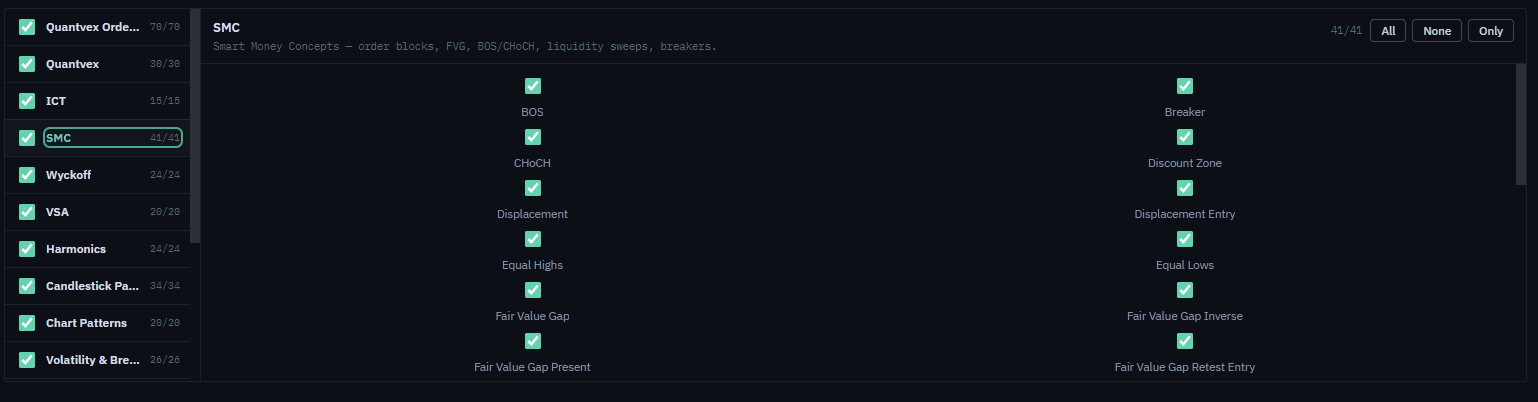
Tell Astra which schools of trading to build from, from breakout to market structure.
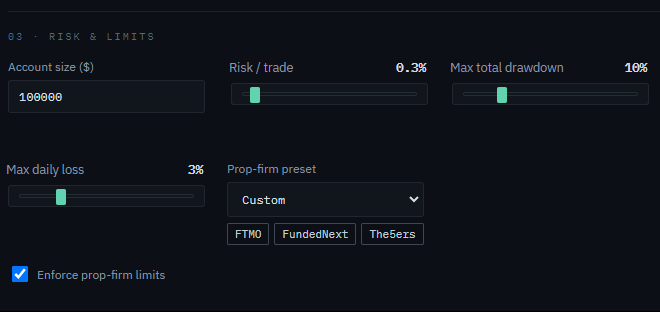
Choose a prop-firm preset and the drawdown and daily-loss limits fill in for you. Passing a challenge is never promised.
Candidates are generated and judged in front of you while the survivor count climbs.
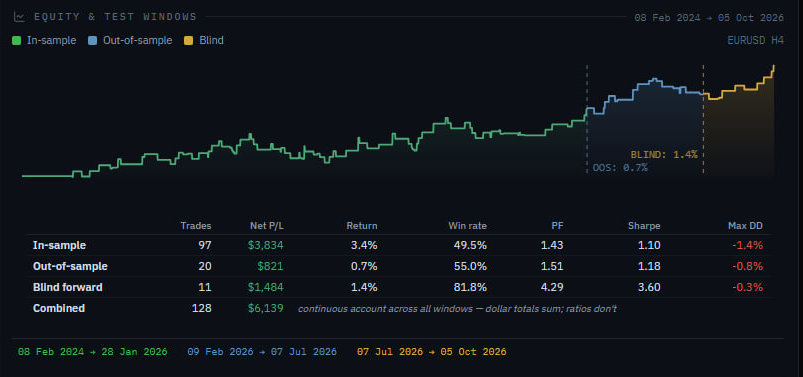
Each strategy shows its training, validation and holdout windows on a single chart.
Lay any survivor's equity curve over the others to see how they differ.
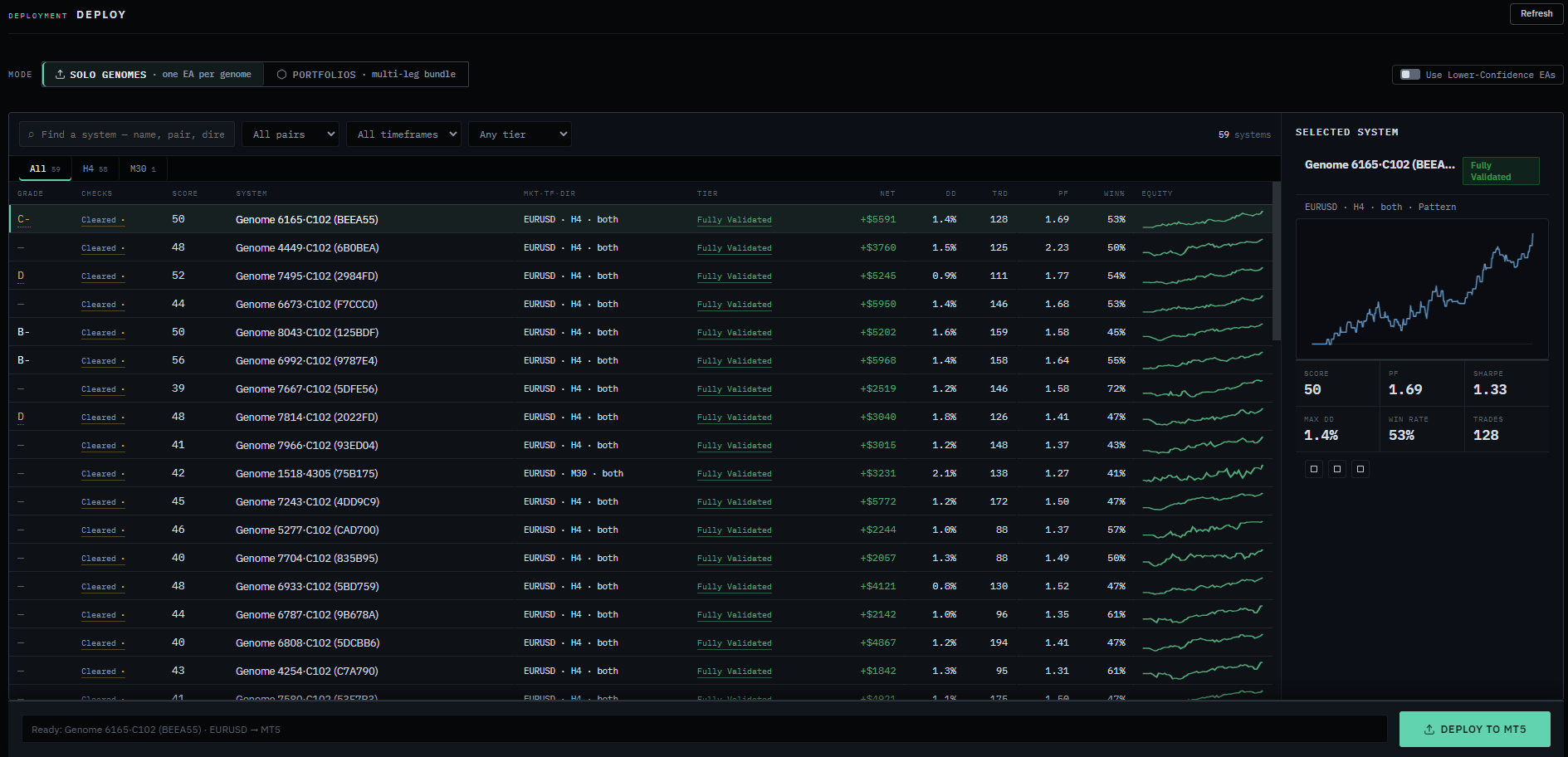
Click through your strategies and pick the one to send to MetaTrader.

The free plan includes one live deploy to MT5, for one strategy.
Every feature
Pick a feature and the monitor shows it.
Vega · the shared network
Astra users can pool their anonymised backtest results into Vega. Pro and Ultimate plans can also search with the whole pool.
On. After each run, anonymised outcomes join the shared pool. Your trades, balance and account details stay on your machine.
Your risk
Position caps, drawdown limits and your news rule are compiled into the Expert Advisor itself. If a strategy can't run correctly on MT4, Astra won't deploy it there.
Load a firm's daily-loss and drawdown rules into the EA, and testing checks for breaches first. Passing a challenge is never promised.

// Risk limits compiled into the EA
input double DailyLossLimitPct    = 3.0;   // stop trading for the day
input double TotalDrawdownPct     = 10.0;  // hard stop from peak equity
input double RiskPerTradePct      = 0.5;   // position size from balance
input int    MaxOpenPositions     = 3;
input bool   PauseForNews         = true;
input int    NewsBufferMinutes    = 30;
Illustrative input block. Your EA's limits come from the settings you choose in Astra.
Watch
Enter a challenge's rules and Astra replays history at each risk level to show how often you'd get there. Pro and up.
Plans
The search engine and validation are identical on every plan.
All prices in GBP. Compare every plan
Auto search · Ultimate · Beta
It searches, tests and grades until the goal is reached or the time runs out, then tells you what it found.
Nothing that touches a live account happens until you approve it.
See Ultimate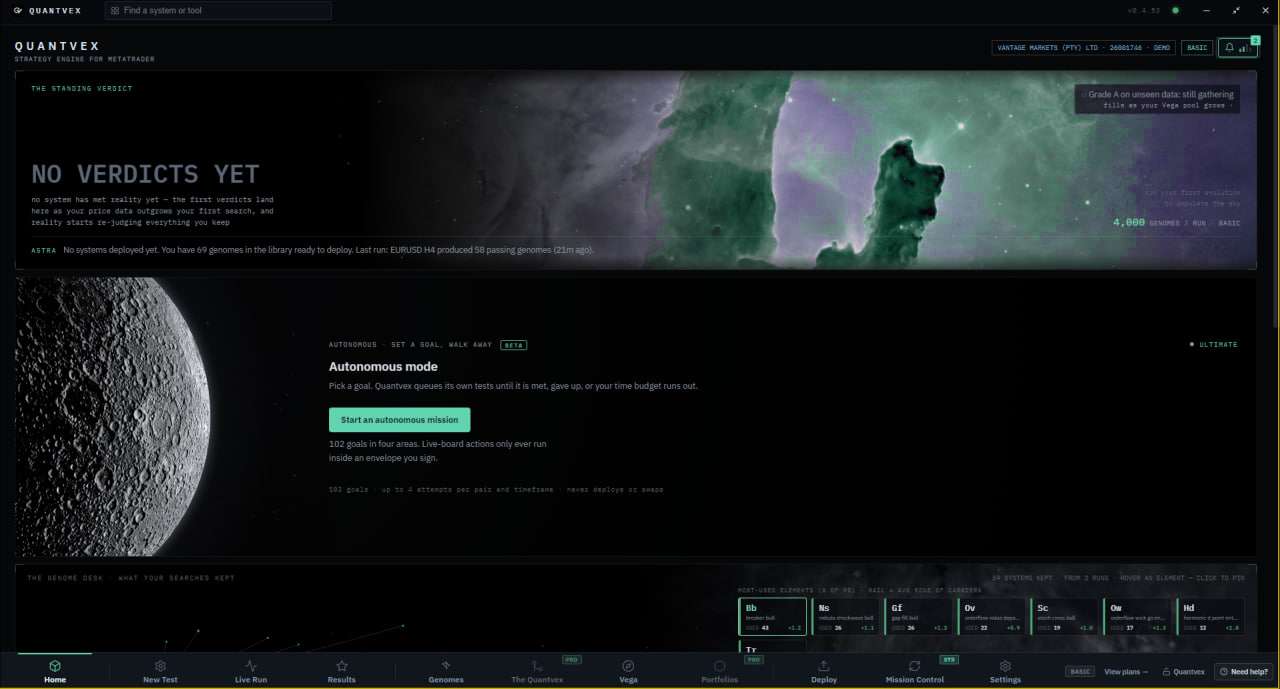
One engine
Paid plans add deploys and live tracking. Pro and Ultimate add your phone.
| Check | Free | Starter | Pro | Ultimate |
|---|---|---|---|---|
| Search depth | ✓ Same | ✓ Same | ✓ Same | ✓ Same |
| Test windows | ✓ Same | ✓ Same | ✓ Same | ✓ Same |
| Overfitting checks | ✓ Same | ✓ Same | ✓ Same | ✓ Same |
| Spread and costs modelled | ✓ Same | ✓ Same | ✓ Same | ✓ Same |
Read this first
You choose the market, the rules and the limits. Astra builds and tests what you ask for. It doesn't send trade signals.
Test results are simulated. Live trading can perform worse than any test.
Some searches end with nothing worth deploying, and that's the system working.
Your EAs trade inside MetaTrader, so it needs to be open. A VPS keeps it running when your computer is off.
A bought EA comes with someone else's rules and someone else's test. With Astra you see your rules and exactly how they were tested. The Strategy Library is there if you want a starting point.
Paid plans deploy to both. The free plan deploys to MT5. If a strategy can't run correctly on MT4, Astra won't deploy it there.
What you need
With every copy
Fourteen languages.Switch the whole app in Settings.
Updates itself.New versions install when you open it.
The Strategy Library.Browse shared strategies. Withdraw and retest them on Pro and Ultimate.
The language Astra speaks, across the whole app.
Who builds it
Add a short line about who builds Astra and why.
Your first customer review goes here.
FAQ
No. You pick the market, the rules and the risk. Astra writes and compiles the Expert Advisor.
The same search and validation as the paid plans, plus one live deploy of one strategy to MT5. No card needed.
Part of the price history is sealed during the search. Each survivor is then tested on that sealed window, which it has never seen, before it gets a grade. It's a simulation, not live trading.
Astra is currently a Windows 64-bit app. On a Mac you can run it inside a Windows virtual machine or on a Windows VPS.
Only if Vega sharing is on, and then only anonymised test outcomes. You can switch it off with one click. Live results are shared only with your consent.
Open Astra, go to Settings, then Licence, and paste the key from your purchase email. See how.
See pricing ›Or browse the Strategy Library ›