Astra · Free

Get Astra free for Windows

You don't need a card, an account or a key. The free plan includes one real deploy to MT5, for one system, one time.

Download free for Windows
Installer · 108.7 MB
Version 0.4.53. Keeps itself up to date each time you open it.

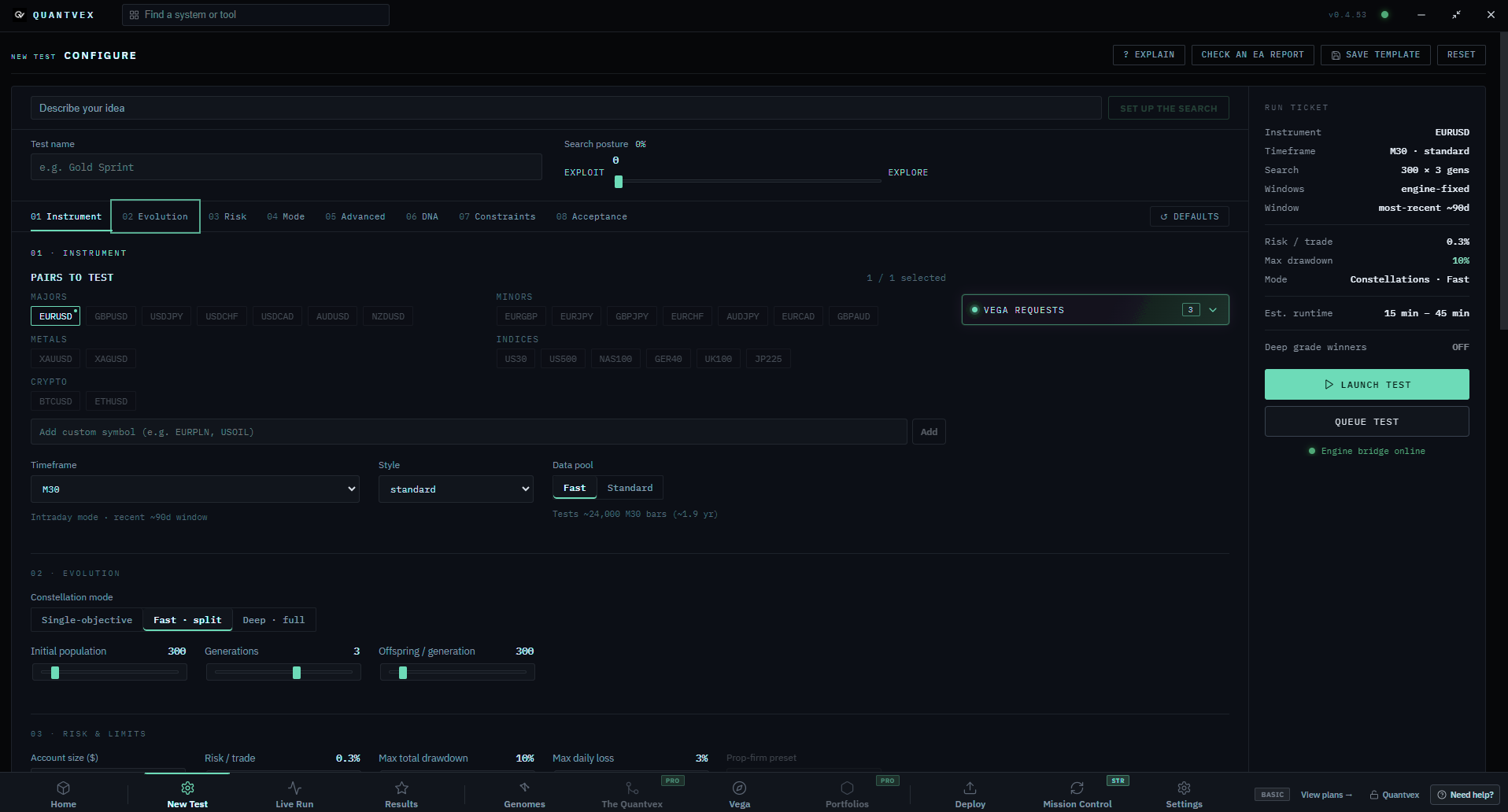
The Quantvex New Test screen: choose pairs, timeframe and data pool, set evolution and risk, with the run ticket and Launch test button on the right.
All platforms
Detected · Windows1 build · version 0.4.53
WindowsWindows 10 or 11, 64-bit
Download
Mac with Apple SiliconNot available yet
Coming later
Mac with IntelNot available yet
Coming later

You're on a Mac. Astra runs on Windows today, so install it on a Windows PC, or on a Windows VPS you can reach from your Mac.

Windows 10 and 1164-bitKeeps itself updatedVersion 0.4.53

Before you install

Windows might double-check once. Here's what to click.

Windows

SmartScreen

If a blue box says Windows protected your PC, click More info, then Run anyway. It shows up because the installer is new to Windows, not because anything is wrong.

1More info›2Run anyway

Your browser

Download check

Some browsers pause new downloads they haven't seen much. Open your downloads list, click the file's menu and choose Keep, then Keep anyway.

1Downloads›2Keep›3Keep anyway

First run

Your first ten minutes

You'll need MetaTrader 4 or 5 and an account with any broker. A VPS can come later.
  1. 01Open MetaTrader 5.Log in to any account. Demo is perfect for a first go.
  2. 02Start a test.Go to New Test, choose a pair and press Launch test.
  3. 03Check the grades.Once it's done, open a survivor and see how it graded.
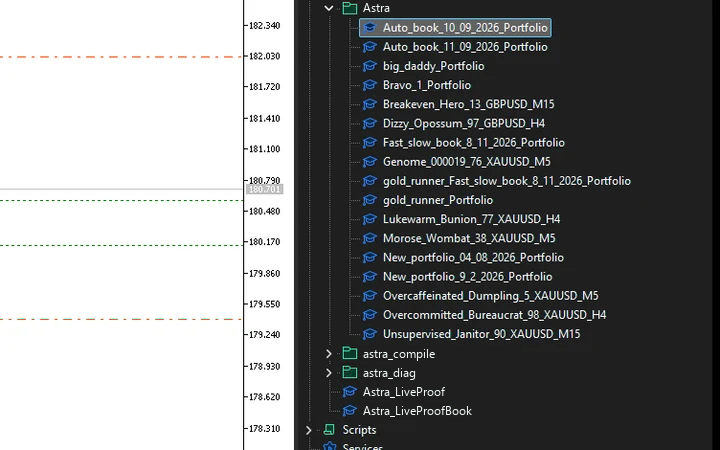
  4. 04Send it to MT5.Press Deploy and it appears in your Expert Advisors folder.
MetaTrader 5 Navigator with the Astra folder of Expert Advisors open.
Astra's New Test screen with the run ticket and Launch test button on the right.
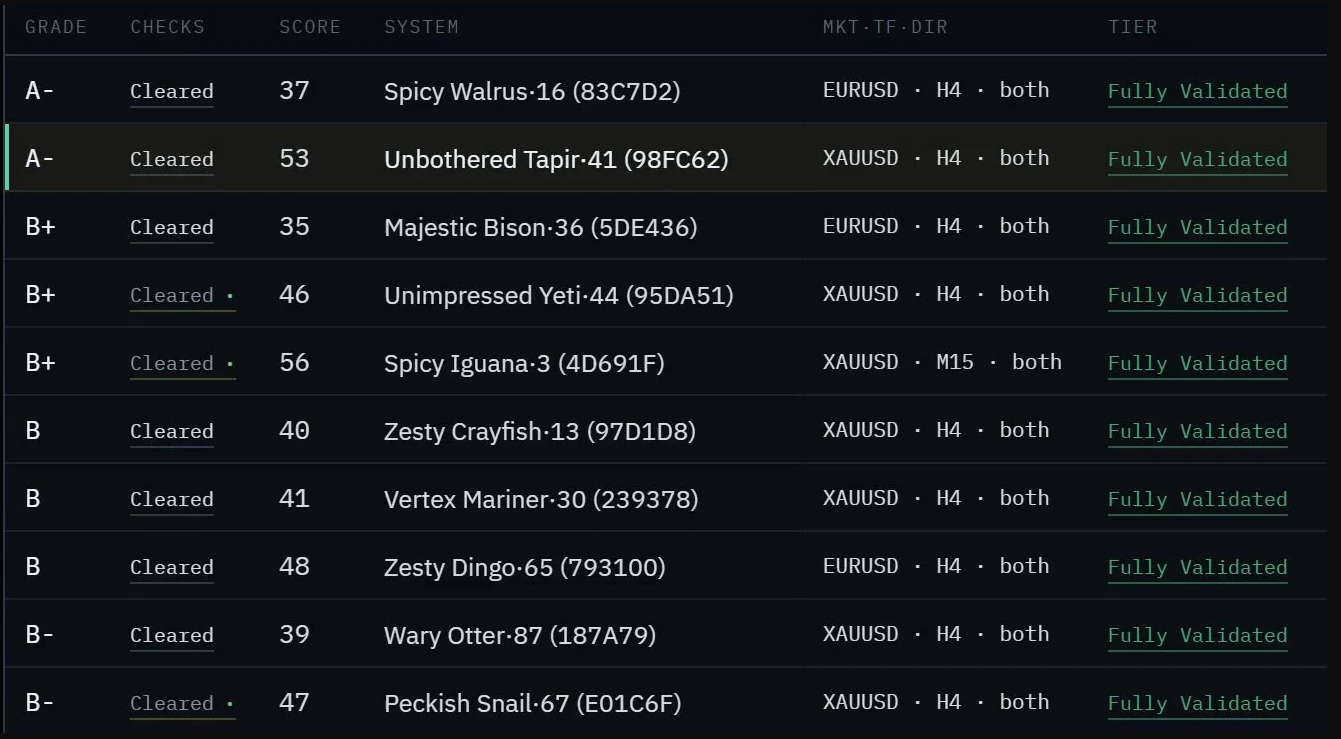
Results10 survivorsHoldout checked
Results table: each system's grade, checks, score, market and tier.
Results10 survivorsHoldout checked
Ready: Unbothered Tapir·41 on XAUUSD to MT5, with the Deploy to MT5 button.
Real screenshots from Astra.

Free and paid

Start free. Upgrade when it earns it.

See plans
No card

Free

  • The same search engine and tests, one pair per run.
  • One real deploy to MT5, for one system, once.
  • One source code export, once.
  • A preview of Sentinel with sample data.
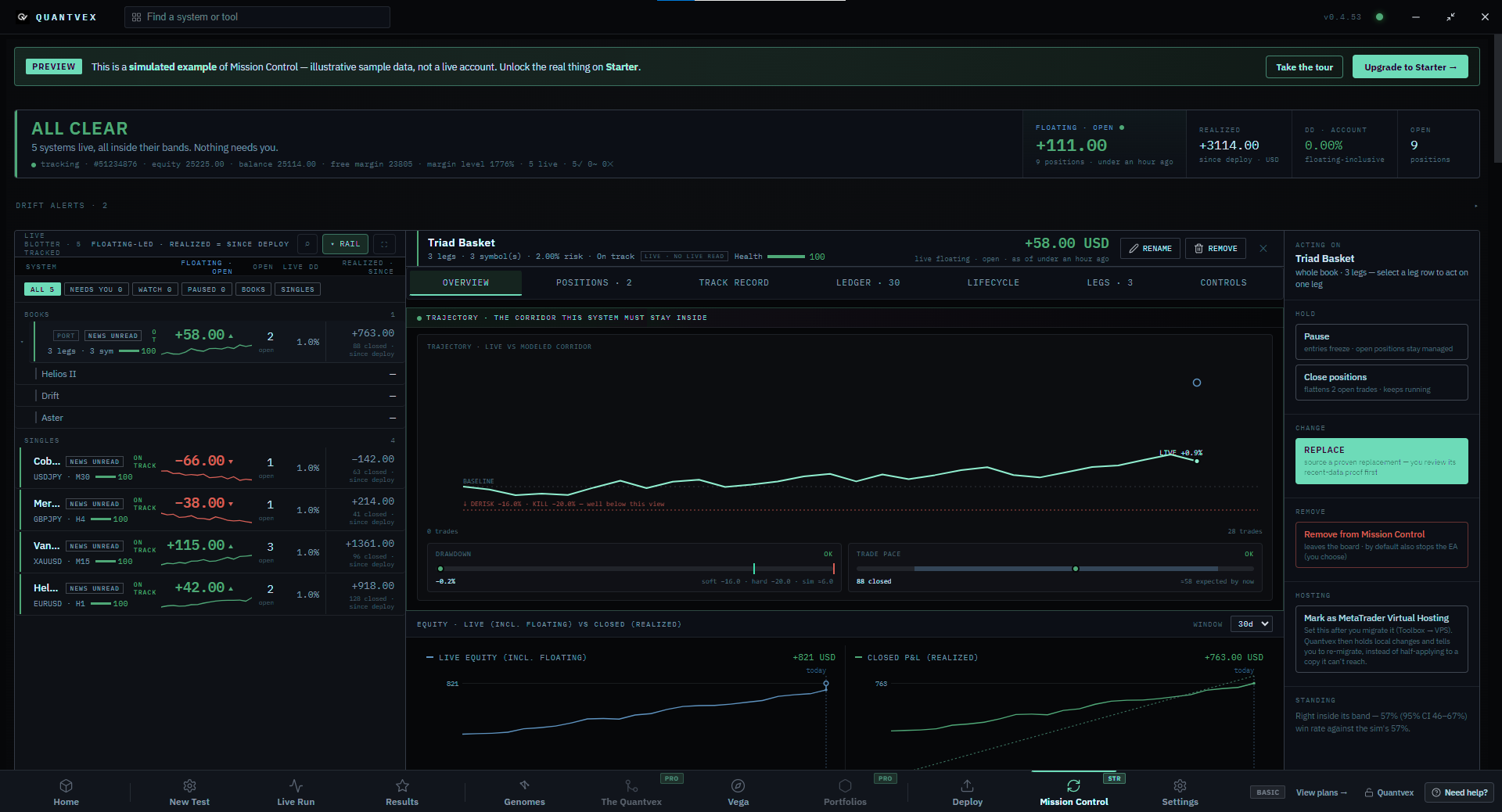
Sentinel preview: five systems live and inside their bands, with one basket's trajectory, drawdown and trade pace checks, and live versus closed equity charts.
The Sentinel preview included with the free plan. Sample data, not a live account.View full size

The holdout test

Every grade is checked on price data the engine never saw while it was searching.

See how each grade held up ›

Have a key

Already bought a plan?

Open Astra, go to Settings, then Licence, and paste in your key. Your plan switches on straight away.

1Settings›2Licence›3Paste your key

Your key is in the email you got after paying. Can't find it? Get in touch.

Release notes

What's in 0.4.53

Updates itself when you open it

Help

Stuck?

  • Free plan with no card: build, test and make one real deploy before paying anything
  • Runs on your own Windows PC, and your MT4 or MT5 account stays with your broker
  • Prices in GBP. Licences renew until you cancel, or pay once for lifetime
  • Real people answer support, by email or on Discord
See pricing Or browse the Strategy Library
Chat